


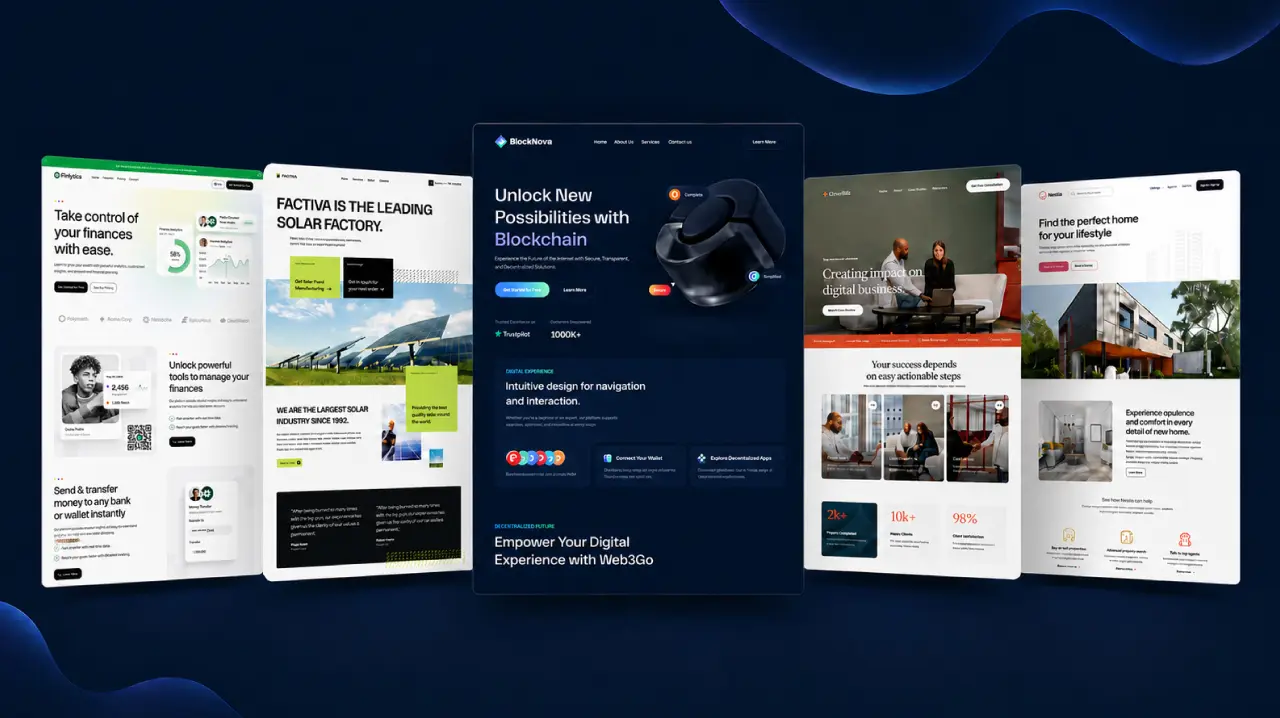
Ready Pages
400+Choose from 400+ complete starter pages for landing pages, services, portfolios and other common website needs.
Element Pack Pro is an Elementor addon for WordPress with 230+ premium widgets & extensions and 2,700+ ready-made templates. It helps designers, developers, agencies and store owners build polished WordPress websites through the familiar Elementor editor.
230+
Premium Widgets & Extensions
2,700+
Ready-made Templates
30+
Pro Extensions
300K+
Users
Element Pack Pro combines 24 core capabilities for design, content, ecommerce, performance and client delivery. Start with the tools your current project needs, then enable more as its requirements grow.
Move supported Elementor sections and widgets between WordPress websites while preserving their styles and settings. This is useful when an agency wants to reuse an approved hero, pricing block or contact section without exporting and importing template files.
Use a large collection of professionally designed pages, blocks, headers and footers as starting points. Templates can shorten the blank-page stage while still giving designers full control over content, color, typography and layout.
Design sitewide areas with Elementor instead of limiting the editor to individual pages. Theme Builder supports headers, footers, single-post templates, archives and supported WooCommerce layouts.
Keep a large feature library manageable by enabling the widgets and extensions a project actually uses. Element Pack also provides asset controls for supported files so teams can make deliberate decisions about their production setup.
Create structured navigation for websites with many products, services or content categories. The builder supports horizontal, vertical and off-canvas layouts with responsive menu behavior.
Build product discovery and purchase layouts with Elementor widgets made for WooCommerce. Designers can style product grids, carousels, sliders, categories, carts, checkout areas and account-related pages so the store feels consistent with the rest of the site.
Upload brand fonts and supported icon sets to create a more consistent visual system. Local font files can also reduce dependence on third-party font delivery when they are configured correctly.
Choose which WordPress roles can access selected Element Pack widgets. Agencies can use this control to simplify the editor for clients or protect advanced tools from accidental changes.
Display WordPress posts in grids, lists, cards, carousels, timelines and other query-based layouts. These widgets are useful for blogs, magazines, resource libraries and any site with frequently updated content.
Eligible plans allow agencies to replace selected Element Pack branding with a cleaner client-facing WordPress dashboard. Plan availability should be confirmed before purchase because white-label access is license dependent.
Connect Elementor layouts with custom post types and Advanced Custom Fields. A reusable design can then pull the correct title, image, taxonomy or custom value for each item instead of requiring manual page edits.
Present supported Advanced Custom Fields data through dedicated Element Pack widgets. This can help designers turn structured WordPress data into accordions, lists, galleries, sliders and tabs.
Show or hide supported elements based on context. Display rules can help tailor content for user roles, devices, login states, schedules and other supported conditions without duplicating an entire page.
Add scroll-based and interactive movement when animation has a clear communication purpose. Motion can draw attention to a product detail, explain a sequence or make a transition easier to understand.
Create contact and webhook forms inside the Elementor workflow. This is useful for straightforward enquiries or automation handoffs where a separate form plugin would add unnecessary overlap.
Add visual effects and editor controls beyond the standard Elementor toolkit. These options support custom interactions and branded layouts when a project needs more than basic content widgets.
Use purpose-built widgets for supported WordPress plugins and platforms. Integrations help keep the visual editing experience consistent across stores, courses, forums, events and digital products.
Solve less common website requirements without searching for a separate plugin for every small feature. The library includes content protection, age gates, QR codes, dark mode and other utility-focused widgets.
Create multilingual Elementor websites with official WPML compatibility and right-to-left language support. Teams should still review translated layouts at each breakpoint because text length and direction can change the final design.
Eligible Agency and Developer plans can support larger WordPress workflows. Multisite licensing is useful for teams that manage several client websites or a WordPress network under one operational process.
Insert dynamic values and small interface components outside the main widget canvas. Shortcodes are useful when a theme area, form or content field needs a supported value without a full Elementor layout.
Build repeatable layouts for posts, products or custom content. Loop templates are especially useful for directories, portfolios, resource libraries and other sites where the content changes but the visual structure stays consistent.
Configure the plugin through a guided setup process. Teams can choose widgets, review related plugins and import a ready-made template kit without searching through every setting first.
Build FAQ accordions with supported FAQPage structured data. Valid markup can improve content structure and machine understanding but it should not be presented as a guarantee of a Google FAQ rich result.
Elementor addons use different counting methods. Some vendors combine widgets and extensions, some count only premium widgets and Crocoblock packages its tools as a multi-plugin suite.
Swipe sideways to compare all addons →
Choose Element Pack Pro if your team wants one Elementor addon that handles design, dynamic content, ecommerce and agency work. It gives you 230+ premium widgets & extensions and more than 2,700 templates. You also get Theme Builder, Mega Menu, Live Copy Paste, display conditions, asset controls, white-label options and a built-in Form Builder.
The purchase protections make this package even stronger and they don't overshadow what competitors offer. Element Pack and The Plus Addons both give you a 60-day refund window. Crocoblock backs its lifetime plan with Zoom support and free updates forever. Ultimate Addons offers priority support. This comparison highlights what each competitor does well, while showing why Element Pack still offers the best all-around value for this audience.
Join 300,000+ designers, developers, and agencies who use Element Pack Pro to ship beautiful Elementor websites in a fraction of the time.
Loved by 300,000+ WordPress pros
Element Pack Pro
2,700+ Templates
Element Pack Pro includes 2,700+ professionally designed templates for full pages, focused blocks, headers, footers and ecommerce layouts. A template gives the project a reliable starting point while Elementor controls let the designer adapt it to the brand and page goal.
Choose from 400+ complete starter pages for landing pages, services, portfolios and other common website needs.
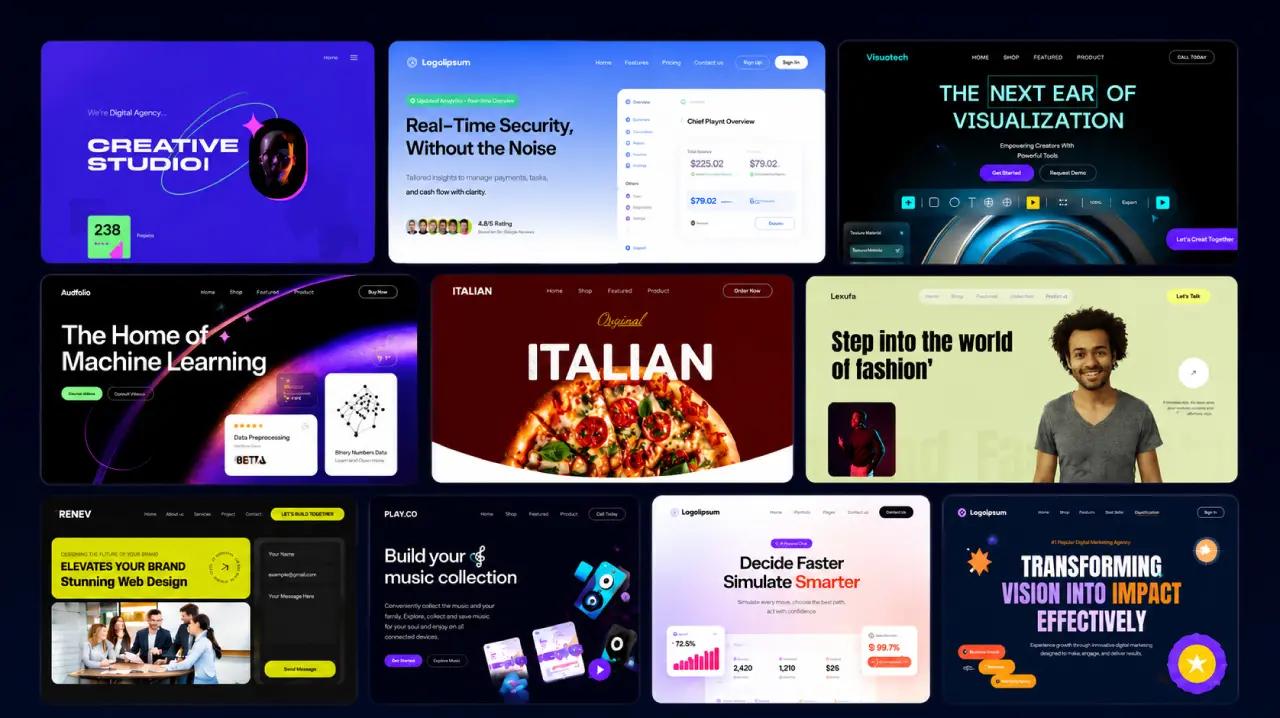
Use 2,000+ modular sections for heroes, features, pricing, testimonials, calls to action and other page components.
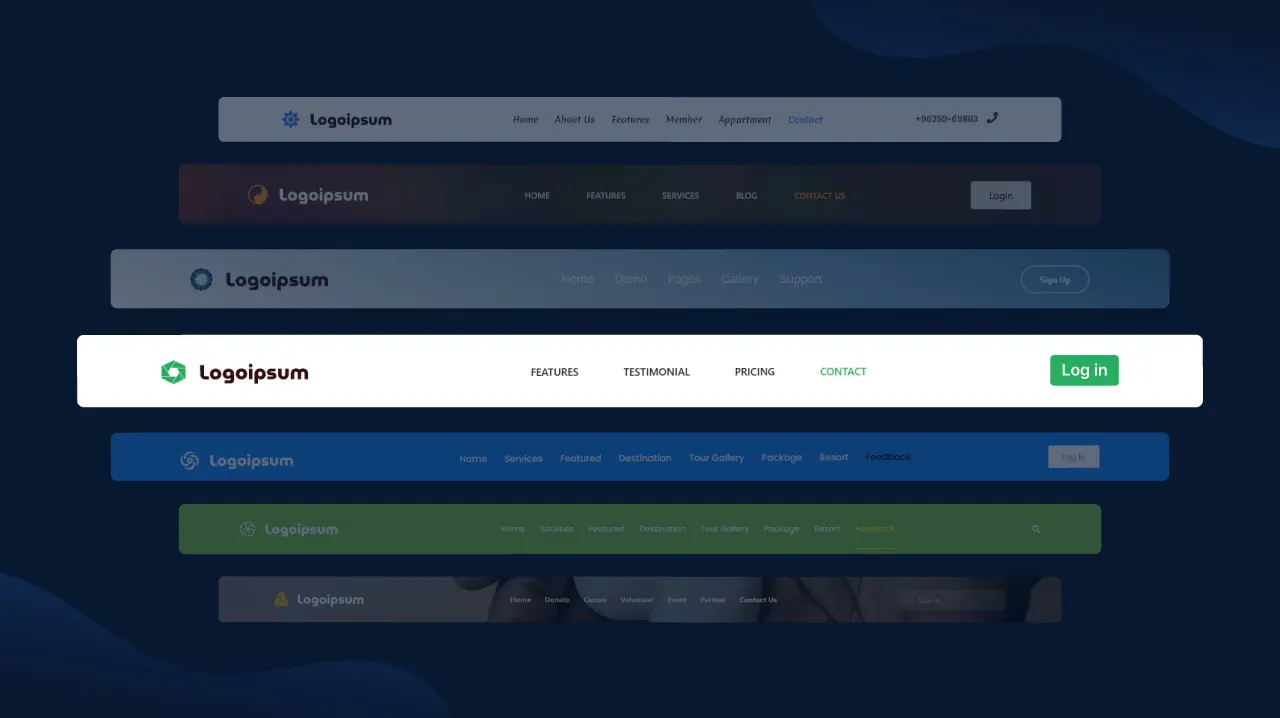
Start with 250+ header layouts, then customize the navigation, typography, spacing and responsive behavior.
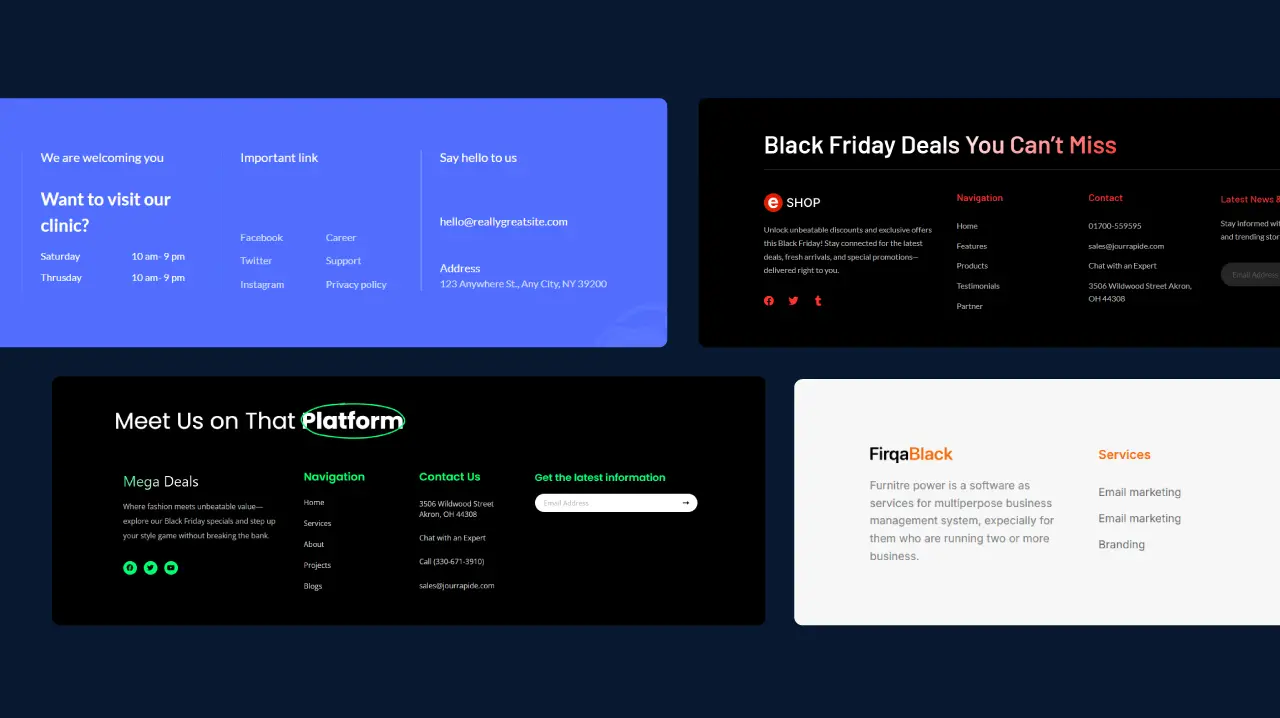
Use 120+ footer layouts with navigation, contact details, social links and calls to action.
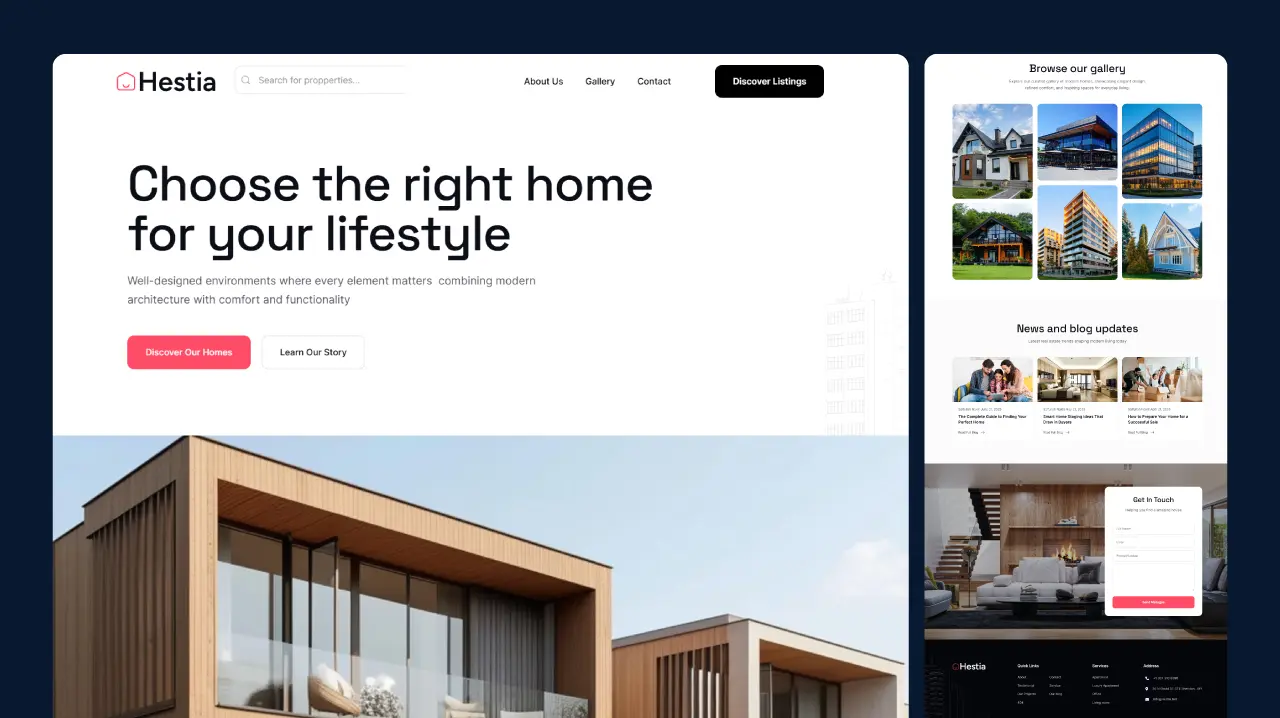
Build WooCommerce-ready shop, product, cart and checkout experiences with a consistent design system.

Adapt conversion-focused layouts for SaaS products, agencies, portfolios, events and service businesses.
Why Element Pack Pro
It is the way the library connects page design, site structure, dynamic content, ecommerce and client delivery in one workflow.
Teams can draw from 230+ premium widgets & extensions without enabling every tool. Feature controls and the Assets Manager help each project use a deliberate subset of the library.
Most layouts can be created through Elementor controls. Developers can still use Custom CSS and JS where the project needs deeper customization.
Elementor and Element Pack provide device-level layout controls. Every important page should still be tested with real content on desktop, tablet and mobile before launch.
Dynamic Tags, Advanced Custom Fields support, custom post types and Dynamic Loop Builder cover workflows that basic decorative widget packs may not address.
Live Copy Paste, role permissions, eligible white-label controls, multisite options and guided setup help teams standardize recurring client work.
Element Pack publishes a 60-day money-back guarantee and free lifetime updates. Priority support and Zoom-call assistance depend on the selected plan, so buyers should confirm current eligibility before purchase.
World-Class Support
Element Pack is supported by product documentation, tutorials, release notes and direct help channels. Availability and response options can depend on the selected plan.
Follow step-by-step documentation for widgets, extensions and common configuration tasks.
Learn product workflows through practical demonstrations and WordPress design guides.
Contact the BdThemes support team for eligible product questions and account-related help.
Review new features, improvements and fixes before updating a production website.
Share ideas and follow public product feedback so the team can see which workflows users need next.
Stay informed with WordPress tips, design inspiration and in-depth product tutorials from our team.
Complete Widget Directory
The widget directory groups 300+ widgets across 23 practical collections. Use the full directory to open demos and documentation for the exact widget a project needs.
Join 300,000+ designers and agencies using Element Pack Pro — 60-day money-back guarantee, free lifetime updates.
Widget count is one decision factor but it does not show how well the tools work together. Review the parts that affect the complete website lifecycle.
The library should support the pages, content types and integrations used by the project.
Templates, dynamic tools and sitewide builders should reduce repeated manual work.
Teams should be able to disable widgets or modules they do not need.
Important features should have a demo, setup guide or practical example.
The product should publish updates for WordPress, Elementor and supported integrations.
Agencies and business-critical websites may need faster response options or guided setup.
Element Pack Pro is designed as a broad WordPress design toolkit but the final choice should match the project's actual requirements. Review the relevant widgets, test the demos and confirm plan-specific features before purchasing.
A long feature list is useful only when its tools support a practical website-building process. Element Pack Pro connects design assets, sitewide controls, dynamic data, ecommerce features and agency tools so each stage of a project can stay inside a familiar Elementor workflow.
Begin with a ready page or block, replace the sample content and apply the project's visual system. You can then add purpose-built widgets for navigation, forms, media, posts or conversion-focused content. Templates provide a starting structure while widget-level controls keep the result adaptable.
Use Theme Builder for headers, footers, post templates, archives and supported WooCommerce layouts. Add Mega Menu Builder when a site needs deeper navigation. Display Conditions can then control where selected elements appear so teams do not need to duplicate whole pages for every context.
Connect custom post types and Advanced Custom Fields to reusable Elementor designs. Dynamic Tags populate the correct values while Dynamic Loop Builder presents repeated records in a consistent grid or carousel. This can reduce manual updates across directories, listings, portfolios and resource hubs.
Combine product widgets, category layouts, Theme Builder and display rules to shape discovery and purchase steps. The goal is not just a product grid. It is a consistent experience from browsing through the cart, checkout and account areas.
Use Live Copy Paste to move approved layouts between sites. Role-Based Permission Manager can simplify the client editor while eligible plans add White Label Branding and multisite options. The Setup Wizard helps the next installation start with an agreed-upon feature set.
Do not activate every feature by default. Enable the widgets and extensions required by the project, then add specialized tools when a page has a clear reason for them. This makes the editor easier to navigate and reduces unnecessary overlap.
Advanced Elementor features can save development time but they still need a deliberate setup. Performance depends on the full WordPress environment, including the theme, hosting, media, page structure and active plugins.
Review widget and extension controls before building, then activate more tools only when a page needs them.
Consistent spacing, typography and reusable layouts reduce repeated work and make later changes easier.
Animation should direct attention or explain an interaction. It should not compete with the page's main action.
Long titles, missing images, sale prices and unusual field values reveal issues that sample content can hide.
Review navigation, forms, product controls and dynamic listings on desktop, tablet and mobile.
Test after the theme, caching, media and required plugins are in place because an isolated widget test does not represent the finished site.
Quick answers to the most common questions about features, integrations, performance and licensing.
Elementor addon features are extra widgets, extensions, templates and workflow controls that expand the Elementor editor. They can add new design elements, sitewide builders, dynamic content tools, ecommerce widgets, performance controls and agency features without requiring every capability to be built from custom code.
Element Pack Pro is an Elementor addon for WordPress developed by BdThemes. It adds 230+ premium widgets & extensions, 2,700+ templates and tools for page design, site structure, dynamic content, WooCommerce and agency workflows.
No. You don’t. Many Element Pack features work with the free Elementor plugin. Check the documentation for the exact widget or builder you plan to use before choosing a license.
Element Pack Pro currently publishes 230+ premium widgets & extensions and 2,700+ ready-made templates. Vendor counts can change as tools are added, renamed or reorganized, so review the live widget and template directories for the latest inventory.
Widgets are content or design elements placed in the Elementor editor. Extensions add behavior or controls to the wider workflow. Templates are reusable page or section layouts. Vendors may count these product components differently, which is why direct totals need clear labels.
No. Enable the widgets and extensions required by the current project, then activate others when a page has a clear use for them. A focused setup keeps the editor easier to navigate and reduces unnecessary overlap.
Start with a ready template, a few common content widgets and the controls needed for the site's header, footer and navigation. Add dynamic content, WooCommerce tools, animation or agency features after the core layout works.
Yes. Element Pack Pro includes Theme Builder tools for headers, footers, single posts, archives and supported WooCommerce templates. Review the live feature documentation for the exact template conditions and supported content types.
Live Copy Paste moves supported Elementor sections and widgets between WordPress websites while preserving their design settings. It is useful for agencies and freelancers who reuse approved layouts across several projects.
Yes. Element Pack supports Dynamic Tags, custom post types, Advanced Custom Fields and a Dynamic Loop Builder. These tools can power directories, portfolios, resource libraries, listings and other websites that present repeated structured content.
Yes. Element Pack includes WooCommerce widgets for product discovery, categories, carts, checkout areas, account pages and other store layouts. Test the complete purchase flow with the active theme, payment setup and real product data before launch.
Yes. Element Pack includes integration with Advanced Custom Fields and dedicated widgets for supported field presentations such as accordions, lists, galleries, sliders and tabs.
Element Pack publishes WPML compatibility and full right-to-left language support. Multilingual websites should still be reviewed in each target language because the length and direction of translated text can affect layout behavior.
Eligible plans include white-label controls for selected plugin branding. Confirm current plan eligibility, as white-label access can vary by license tier. Currently, we only offer white-labeling in the Developer (yearly) and Agency (lifetime) packages.
Yes. Role-Based Permission Manager can restrict selected widgets for supported WordPress and WooCommerce user roles. This can simplify client editing and reduce accidental changes to advanced components.
Eligible Agency and Developer plans include multisite licensing options. Confirm current activation limits and setup requirements before purchasing because licensing terms can change.
Performance depends on the entire WordPress setup. Element Pack provides widget and extension controls plus an Assets Manager so teams can disable unused tools. Test representative production pages after the theme, media, caching and required plugins are configured.
Yes. Element Pack includes Contact Form and Webhook Form tools for supported lead capture and automation workflows. More complex forms may still require a dedicated form platform depending on validation, payment, conditional logic or data-storage requirements.
Yes. Element Pack Lite is available through WordPress.org. Element Pack Pro adds the broader premium widget library, template collection, advanced extensions and plan-specific workflow benefits.
Element Pack publishes a 60-day money-back guarantee for eligible new purchases. Review the current refund policy and purchase terms before buying because conditions can change.
Priority support is published for eligible Business or Developer plans. Zoom-call support is listed for the Developer VIP and Agency option. Confirm the current plan table before purchase to make sure the support level matches your project.
Compare vendor terminology before comparing totals. A widget, extension, module, template and suite plugin are not equivalent units. Start with the workflows you need, then confirm the exact tools, plan limits, support options and refund terms on each official website.
Review product counts, plan-specific benefits, support claims and the competitor matrix at least once per quarter. Update sooner when a major release, pricing change or documentation revision affects a public claim.
Element Pack Pro brings Elementor addon features for page design, templates, site structure, dynamic content, WooCommerce, performance and agency delivery into one expandable toolkit. Start with the features your project needs today, then add more as its content and workflow grow.