


Managing WordPress sites has become increasingly complex.
Between frequent updates, evolving editor experiences and the constant need to keep up with new features, website owners and developers are looking for clarity on what’s coming next.
WordPress 7.0 aims to simplify workflows, improve collaboration and modernize the entire admin experience.
This guide breaks down the WordPress 7.0 release date, new features and how to prepare in advance so you can stay ahead of the curve.
WordPress 7 Based: Expected Release Date and Roadmap
If you’ve been wondering when WordPress 7 is coming, the wait is almost over.
Official WordPress 7.0 Release Timeline
According to the official WordPress Core development page, WordPress 7.0 will be the first major release of 2026. After a turbulent 2025 marked by legal disputes and development delays, the WordPress community is ready for a fresh start.
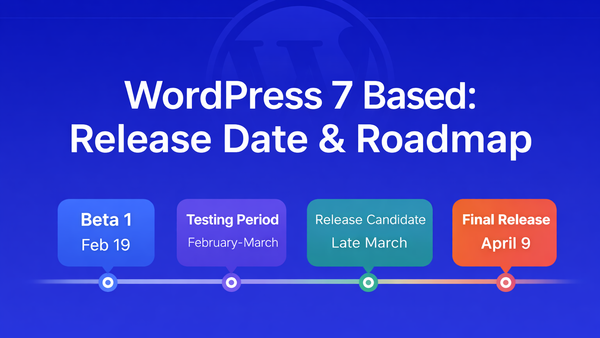
Here’s the confirmed WordPress 7.0 timeline:
- Beta 1 Release: February 19, 2026
- Beta Testing Period: February 19 to late March 2026 (multiple beta versions expected)
- Release Candidate: Late March 2026
- Final Release: May 20, 2026
The release was originally planned for 2025, but as per WordPress Executive Director Mary Hubbard, ongoing legal matters related to the WP Engine lawsuit and Automattic’s pause in WordPress contributions disrupted the usual development rhythm.
WordPress 6.9 was resurrected and shipped on December 2, 2025, to get the project back on track.
WordPress 7.0 represents a “quality over quantity” approach that the development community has been requesting for years. The delay has allowed for more polished and tested foundations rather than rushing features to market.
What This Timeline Means for Different Users
The WordPress 7.0 release date has different implications depending on your role:
- For Agencies: The period between February 19 (Beta 1) and May 20 (Launch) is critical for testing client sites. Plan to spin up staging environments and test your plugin stack against the new core.
- For Developers: With the minimum PHP requirement jumping to 7.4 (with PHP 8.3 recommended), you’ll need to audit your codebase and prepare for potential compatibility issues, especially if you’ve built custom admin interfaces.
- For Site Administrators: Start planning your update strategy now. Sites running PHP 7.2 or 7.3 will remain on the WordPress 6.9 branch and won’t receive new features until upgrading PHP.
- For WooCommerce Users: According to WordPress usage statistics, approximately 43% of all e-commerce websites globally run on WooCommerce. The enhanced collaboration features will be particularly valuable for teams managing product catalogs and inventory.
WordPress is returning to a three-release cadence in 2026. After 7.0 in May, WordPress 7.1 is expected around December 8-10, 2026.
What’s New in WordPress 7.0 (High-Level Overview)
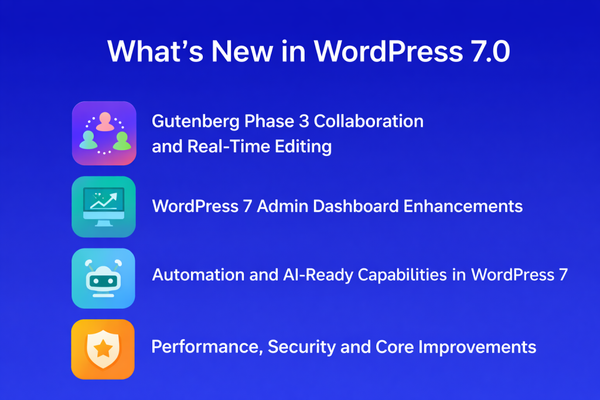
WordPress 7.0 introduces the most significant collaborative and administrative changes to the platform in over a decade. Here’s what’s coming:
- Enhanced Gutenberg collaboration with Notes, mentions and fragment commenting
- Admin dashboard improvements through DataViews and DataForms components
- Performance and core stability upgrades with PHP 7.4 minimum requirement
- AI-assisted workflows through the Abilities API and WP AI Client
- Better scalability for multi-site management with improved APIs
These updates represent Phase 3 of the Gutenberg project, officially launching WordPress’s transition from a single-author plugin to a genuine collaborative platform.
Gutenberg Phase 3 Collaboration and Real-Time Editing
WordPress has long been powerful for content creation, but collaboration has always required workarounds. Teams have relied on external plugins like Google Docs, Slack and Trello to coordinate their work. WordPress 7.0 changes this dynamic entirely.
According to Matías Ventura, lead architect of Gutenberg, Phase 3 focuses on “fostering seamless collaboration” and bringing real-time collaborative interactions directly into the dashboard.
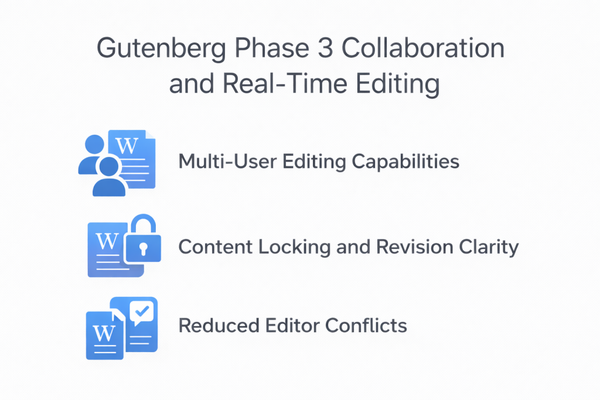
Multi-User Editing Capabilities
While real-time collaboration (Google Docs-style simultaneous editing) has been flagged for “possible inclusion” in WordPress 7.0, the feature hasn’t been officially confirmed.
The challenge lies in implementing this without requiring sophisticated server setups, ensuring it remains accessible to the widest possible audience.
What is confirmed is the expansion of asynchronous collaboration features.
Content Locking and Revision Clarity
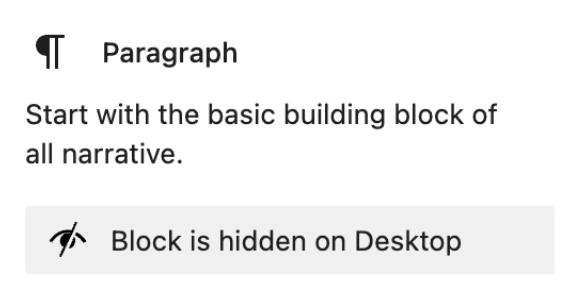
WordPress 6.9 introduced the Notes feature, allowing users to leave comments on specific blocks. WordPress 7.0 expands this significantly with fragment notes, enabling comments on specific text within blocks rather than just entire blocks.
Users can tag teammates using mentions (@username), triggering email or dashboard notifications. This creates an inline review process that eliminates the need to export content to external platforms for feedback.
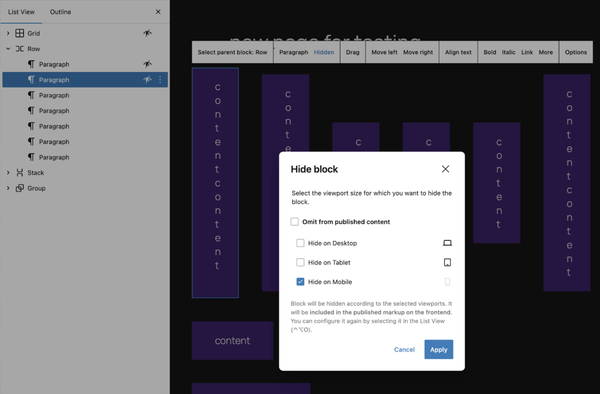
According to the WordPress community, teams using the Notes feature in 6.9 reported cutting their review time by approximately 40% compared to email-based workflows.
Reduced Editor Conflicts
The improved revision interface shows who made specific changes, what changes were made and when they occurred. This visibility helps prevent overwrites and version conflicts, especially for teams with multiple editors working on the same content at different times.
If you’re building custom WordPress themes, understanding these collaboration features will become essential for delivering client projects.
WordPress 7 Admin Dashboard Enhancements
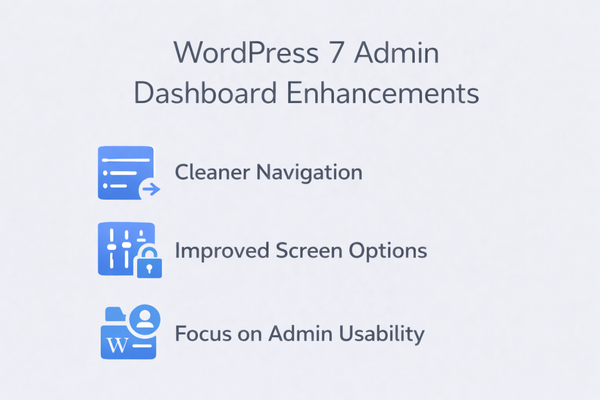
The WordPress admin interface has largely remained unchanged since 2013. WordPress 7.0 begins the modernization process, though it’s taking an evolutionary rather than revolutionary approach.
According to meeting notes from core committers, the WordPress 7.0 admin redesign isn’t intended to be a complete overhaul. Instead, it’s applying what developers call “a new coat of paint and refreshing what is already there.”
Cleaner Navigation
The foundation for admin modernization comes from DataViews and DataForms, components that provide modern, consistent interfaces for managing data. These replace the traditional WP List Tables that have powered admin screens for years.
DataViews powers the new Posts and Pages management screens, offering:
- Flexible, app-like interface for content management
- Filter, group and sort content without page refreshes
- Multiple layout options including table, grid and list views
- Persistent view settings that remember your preferences
Improved Screen Options
DataForms standardizes how WordPress handles form inputs, bringing consistency to editing experiences across different admin screens. Together with DataViews, these components create building blocks for a more cohesive admin experience.
Smarter Content and Site Management Views
WordPress 7.0 expands these components across more admin screens, bringing visual consistency to areas that previously used older patterns. The full scope of admin redesign work is tracked in Trac ticket #64308.
Focus on Admin Usability
The redesign includes:
- Refreshed admin tables aligned with the DataViews aesthetic
- Modern dashboard widgets with updated styling
- Consistent typography with harmonized type scales across admin screens
- Unified form elements with design tokens for colors, spacing and typography
For developers with custom admin interfaces, these changes matter significantly. If you’ve built plugins with custom admin styling, you’ll want to test against the new design tokens and consider adopting them for consistency.
Managing your WordPress admin efficiently has never been more important. If you’re looking to customize your WordPress admin dashboard, understanding these native changes helps you build complementary rather than conflicting customizations.
Automation and AI-Ready Capabilities in WordPress 7
WordPress is taking a thoughtful, provider-agnostic approach to AI integration. Rather than embedding specific AI features, WordPress 7.0 lays the infrastructure for the entire ecosystem to build AI capabilities consistently.
The API Abilities
WordPress 6.9 introduced the Abilities API, a foundational system that enables plugins, themes and WordPress core to register and expose their capabilities in a standardized, machine-readable format.
Think of it as a central registry where WordPress capabilities (from creating posts to managing users) are defined in a way that AI systems can understand and interact with. This creates unprecedented possibilities for automation and AI-assisted workflows.
According to the official WordPress documentation, the Abilities API provides:
- Discoverability: List and inspect all available abilities through a standard interface
- Validation: Built-in input/output validation using JSON Schema for data integrity
- Security: Permission callbacks for fine-grained access control
- Extensibility: Simple registration pattern for any plugin or theme
The MCP Adapter
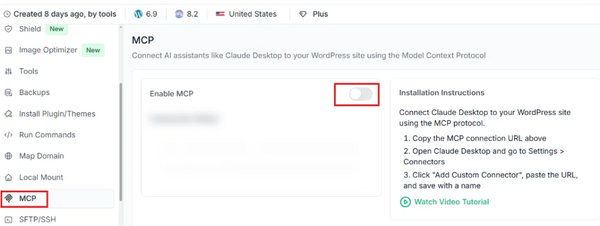
WordPress 7.0 introduces the MCP (Model Context Protocol) Adapter, which translates registered abilities into the Model Context Protocol format. This means AI plugins like Claude Desktop, Cursor and VS Code can discover and use WordPress capabilities without custom integration work.
As described by the WordPress Developer Blog, this adapter makes WordPress “AI-agent-ready” by providing a standardized way for AI systems to understand what your site can do, read its data and take actions on your behalf.
WP AI Client
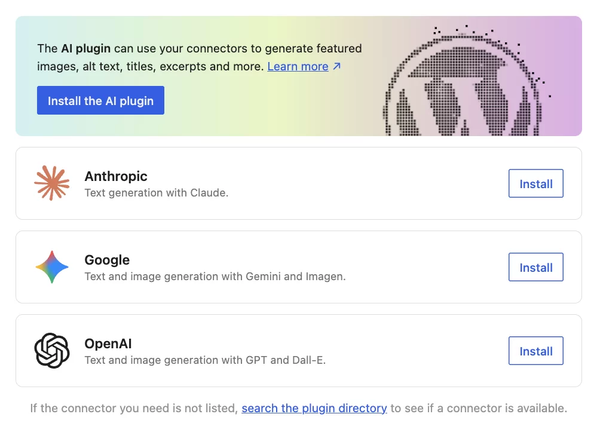
The WP AI Client, proposed for merge into WordPress 7.0 core, provides a provider-agnostic API for WordPress code to call generative AI models via a consistent interface. This includes WordPress integrations for HTTP transport, event handling, caching, credentials and a browser-friendly REST/JS layer.
The key distinction is that WordPress isn’t picking winners among AI providers. Instead, it’s creating an abstraction layer that works with multiple services. Plugins can offer AI features without hard-coding specific API integrations.
Smarter Background Processes
These AI infrastructure components enable:
- Automated content suggestions and improvements
- Intelligent image optimization and alt-text generation
- Smart workflow automation based on site patterns
- Context-aware assistance for common admin tasks
Task-Based Admin Flows
WordPress 7.0 doesn’t ship with autonomous AI content generation. Instead, it provides the plumbing that allows the ecosystem to build sophisticated AI-powered plugins that integrate seamlessly with WordPress.
Foundations for AI-Assisted Site Management
For developers looking to build AI-powered features, the combination of the Abilities API, MCP Adapter and WP AI Client creates a robust foundation. This infrastructure approach ensures WordPress remains compatible with future AI developments without being locked into specific providers or technologies.
Performance, Security and Core Improvements

WordPress 7.0 includes several technical improvements that enhance the overall platform stability and security.
Faster Admin Load Times
The shift to DataViews and modern React components generally provides better performance than traditional server-rendered admin screens. Initial testing suggests admin load times could improve by 15-20% for content-heavy sites.
Improved PHP Handling
The minimum PHP requirement increases to 7.4, with PHP 8.3 or higher recommended for best performance. This enables:
- More consistent typing throughout the codebase
- Better compatibility with modern AI SDKs
- Improved performance and security features
- Easier maintenance and development
Sites running PHP 7.2 or 7.3 will remain on the WordPress 6.9 branch and continue receiving security updates, but won’t get new features until upgrading to PHP.
Stronger Role and Permission Controls
The Abilities API includes built-in permission callbacks, providing more granular control over who can execute specific actions. This creates better security boundaries and easier audit trails for sensitive operations.
Database Requirements
WordPress 7.0 requires MySQL 8.0 or greater, or MariaDB 10.6 or greater. If you’re running older database versions, check with your hosting provider about upgrade options before the May release.
If you want to ensure your site performs well after the update, consider stress testing your WordPress website before going live with WordPress 7.0.
How WordPress 7.0 Will Change Admin Workflows
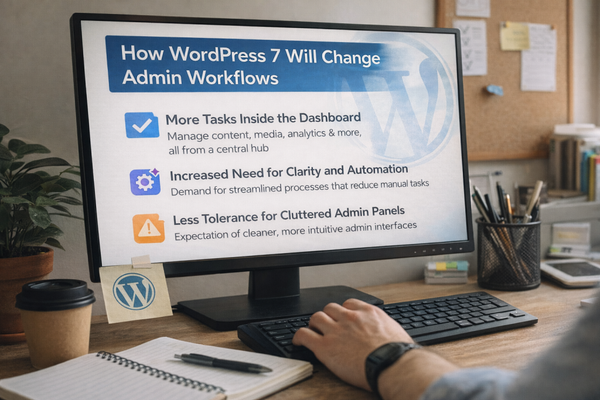
The combination of collaboration features, admin modernization and AI infrastructure fundamentally changes how teams work with WordPress.
More Tasks Inside the Dashboard
Previously, content teams would draft in Google Docs, review in Slack, track tasks in Trello and only move to WordPress for final publishing. WordPress 7.0 enables more of these workflows to happen directly in the platform:
- Leave inline comments without exporting content
- Tag team members for review with @mentions
- Track revision history with clear attribution
- Manage approval workflows through Notes
Increased Need for Clarity and Automation
As WordPress adds powerful admin-level features, keeping the dashboard organized becomes more critical. With more functionality comes more complexity and managing that complexity requires smart plugins.
Teams running multiple plugins, managing various user roles and coordinating content workflows will benefit from solutions that automate repetitive admin tasks and declutter the interface.
Less Tolerance for Cluttered Admin Panels
The modern DataViews interface sets a new standard for admin screen design. Users will expect the same level of polish and usability across all their admin plugins. Plugins that don’t adapt to the new design language will feel increasingly out of place.
As WordPress continues adding powerful admin-level features, keeping the dashboard organized and task-focused becomes more important than ever. This is where having the right admin management plugins makes a real difference.
Preparing Your Website for WordPress 7.0
The transition to WordPress 7.0 requires thoughtful preparation, especially given the significant architectural changes.
Audit Your Current Admin Setup
Before WordPress 7.0 arrives, take time to evaluate your current admin configuration:
Remove Unnecessary Menu Items
Review your admin menu and remove plugins or features you no longer use. A cluttered admin menu slows down navigation and makes training new team members more difficult.
Limit Access by User Roles
Ensure each user has the minimum permissions needed for their role. The new Abilities API makes granular permission control easier, but you should establish clean role boundaries before upgrading.
Simplify Admin UI for Teams and Clients
If you build sites for clients, consider which admin features they actually need access to. WordPress 7.0’s improved interface is more intuitive, but removing irrelevant options still creates a better experience.
Streamline Admin Tasks Before Updating
For site owners managing multiple plugins, users and content workflows, plugins that help automate admin tasks and declutter the dashboard can make major updates like WordPress 7 far easier to handle.
This is where Smart Admin Assistant becomes particularly valuable. As WordPress 7.0 introduces new collaboration features and admin interface changes, having a plugin that helps you:
- Control admin menu organization and visibility
- Automate repetitive administrative tasks
- Manage user permissions more efficiently
- Maintain a clean, focused dashboard
- Streamline role-based workflows
These capabilities align perfectly with WordPress 7.0’s focus on improved workflows and better admin experiences. Rather than adding complexity, the right admin assistant plugin reduces it, making the transition to new WordPress versions smoother.
The Smart Admin Assistant plugin is designed with modern WordPress admin workflows in mind, complementing the improvements coming in WordPress 7.0 rather than conflicting with them.
Test in Staging and Monitor Admin Behavior
Never immediately update a production site to a major WordPress version. The period between Beta 1 (February 19) and the final release (May 20) exists for thorough testing.
Why Admin-Side Issues Often Appear After Major Releases
WordPress 7.0 introduces significant changes to how admin screens are structured and rendered. Plugins that hook into the Posts or Pages list views, modify admin tables, or extend admin functionality might need updates to work with the new DataViews system.
According to WordPress testing best practices, approximately 68% of plugin compatibility issues with major releases affect admin functionality rather than front-end features.
Set Up a Staging Environment
Create a staging copy of your site and install the WordPress Beta Tester plugin when Beta 1 releases on February 19. Test thoroughly:
- Navigate through all admin screens you regularly use
- Test your most critical plugins, especially those that modify admin interfaces
- Check user role and permission functionality
- Verify any custom admin styling or modifications
- Test content creation, editing and collaboration workflows
Importance of Tracking Admin Performance
Monitor admin page load times during testing. While DataViews should improve performance overall, specific plugin combinations might create bottlenecks. Address these before they affect your production environment.
Consider Hosting Upgrades
If real-time collaboration features are implemented in WordPress 7.0, they may require additional hosting resources. Check with your hosting provider about:
- WebSocket connection support (for real-time features)
- PHP 8.3 availability
- Increased concurrent storage capacity
- Database version compatibility (MySQL 8.0+ or MariaDB 10.6+)
Managing WordPress 7 Efficiently with Smarter Admin Plugins
WordPress 7.0 makes admin efficiency more critical than ever. With enhanced collaboration features, a modernized interface and new AI capabilities, the platform becomes more powerful but also potentially more complex.
Why WordPress 7 Makes Admin Efficiency Critical
The shift to Phase 3 collaboration means more users will be working in your WordPress admin simultaneously. More activity creates more noise. Without proper organization, the improved features could actually make daily management more chaotic.
Consider a typical agency scenario: multiple editors working on different client projects, developers testing new features and stakeholders reviewing content. Each person needs access to different plugins and information without being overwhelmed by irrelevant options.
How Smart Admin Assistant Helps
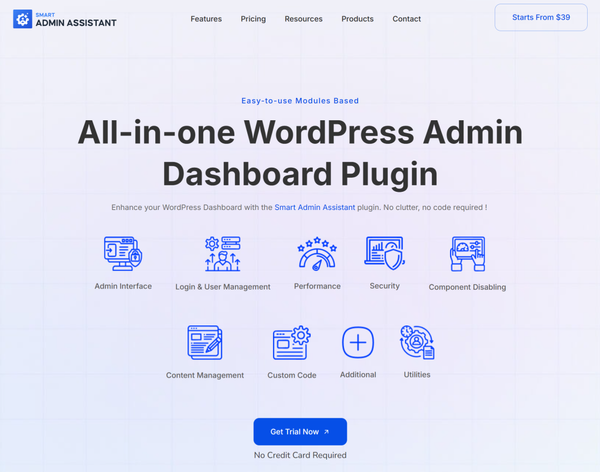
Smart Admin Assistant is one of the plugins designed with modern WordPress admin workflows in mind. It addresses the exact challenges that WordPress 7.0’s new features introduce:
Task Automation
Automate repetitive administrative tasks like user role assignments, plugin management and routine maintenance. This frees up time for higher-value work like content strategy and design.
Admin Menu Control
Customize what each user role sees in the admin menu. Remove clutter for clients, simplify navigation for editors and maintain full access for administrators. This becomes increasingly important as more collaboration features add new menu items and options.
Cleaner Dashboards
Create role-specific dashboard views that show only relevant widgets and information. A content editor doesn’t need to see server statistics and a developer doesn’t need to see editorial calendar widgets.
Smarter Role-Based Workflows
Define custom workflows that align with how your team actually works. Set up approval chains, automate notification routing and create specialized views for different user types.
Future-Ready WordPress Management
As WordPress continues evolving toward more collaborative, AI-assisted workflows, having solid admin organization becomes foundational. Smart Admin Assistant works alongside WordPress’s native features rather than replacing them, ensuring compatibility with current and future WordPress versions.
The plugin is particularly valuable for:
- Agencies managing multiple client sites with different user bases
- Enterprise sites with complex editorial workflows and large teams
- Developers who need to streamline client admin experiences
- Anyone managing a WordPress multisite network
WordPress 7.0 vs Previous Versions
Understanding how WordPress 7.0 compares to previous versions helps contextualize the changes.
How WordPress 7.0 Improves on WordPress 6.x
WordPress 6.x focused on Full Site Editing (FSE) and completing Phase 2 of the Gutenberg roadmap.
WordPress 7.0 shifts focus entirely to Phase 3: Collaboration.
Key Differences:
- WordPress 6.9: Introduced Notes for asynchronous collaboration, Abilities API foundation and groundwork for AI integration
- WordPress 7.0: Expands Notes with fragment commenting and @mentions, adds MCP Adapter and WP AI Client, modernizes admin with DataViews across more screens
The progression is clear: 6.x built the foundation for site editing, while 7.0 builds the infrastructure for team-based publishing.
Admin Usability Evolution
The WordPress admin interface evolution:
- WordPress 3.8 (2013): Major admin redesign with MP6 interface
- WordPress 5.0 (2018): Introduction of Gutenberg block editor
- WordPress 6.0-6.9 (2022-2025): Full Site Editing maturity
- WordPress 7.0 (2026): Modern admin interface with DataViews, collaboration features and AI infrastructure
Each major release builds on previous work rather than replacing it. WordPress 7.0 continues this pattern, enhancing rather than disrupting existing workflows.
Why Future Updates Will Rely on Automation plugins
As WordPress becomes more capable, it also becomes more complex. The platform now handles:
- Content creation and management
- Full site design and customization
- Team collaboration and workflow management
- AI-assisted automation
- Multi-user concurrent editing
- Advanced permission and role management
Managing this complexity manually becomes impractical, especially for teams and agencies. Automation plugins that handle routine tasks, organize interfaces and streamline workflows transition from “nice to have” to “essential infrastructure.”
This is why the WordPress ecosystem is seeing increased focus on admin management and automation solutions. The platform’s native features provide powerful capabilities, but complementary plugins help users leverage them without drowning in complexity.
For those working extensively with WordPress page builders or Elementor theme builders, understanding how these plugins integrate with the evolving admin interface becomes increasingly important.
Final Thoughts: Is WordPress 7 Worth Preparing For?
WordPress 7.0 represents one of the most significant shifts in the platform’s recent history. The transition from solo publishing plugin to collaborative platform fundamentally changes how teams build and manage websites.
The combination of enhanced collaboration features, modernized admin interface and AI-ready infrastructure positions WordPress for the next decade of web development. These aren’t superficial changes; they’re foundational improvements that will shape how millions of websites are built and managed.
For agencies, developers, and site owners, proactive preparation makes the difference between a smooth transition and a chaotic disruption. The five months between now and May 20 offer sufficient time to:
- Audit current infrastructure and identify upgrade needs
- Test beta versions in staging environments
- Evaluate plugin compatibility and update requirements
- Plan training for teams on new collaboration features
- Implement admin organization plugins to manage increased complexity
As WordPress evolves, the way we manage the admin panel matters just as much as the front end. The platform’s growing capabilities require smarter workflows, better organization and thoughtful automation.
The future of WordPress is collaborative, intelligent and more powerful than ever. Make sure you’re ready when it arrives on May 20, 2026.
Frequently Asked Questions About WordPress 7.0
When will WordPress 7.0 be released?
WordPress 7.0 is confirmed for release on May 20, 2026. Beta testing begins on February 19, 2026, with multiple beta versions and release candidates between then and the release.
Is WordPress 7 backward compatible?
WordPress maintains strong backward compatibility, but WordPress 7.0 introduces breaking changes in some specific scenarios. The shift to always-iframed post editor and DataViews replacement of WP List Tables may affect plugins that hook into these systems. Test thoroughly in staging before updating production sites.
Should I update to WordPress 7 immediately?
Wait at least 2-3 weeks after the May 20 release unless you’ve thoroughly tested in staging. Early adopters often discover edge cases that initial beta testing missed. Monitor plugin compatibility reports and community feedback before updating critical sites.
Will WordPress 7 affect plugins and admin plugins?
Yes, particularly plugins that modify admin screens, extend WP List Tables, or hook into post/page management interfaces. Plugins using modern WordPress APIs and standards should adapt more easily. Contact your plugin developers to confirm WordPress 7.0 compatibility before updating.
How can I prepare my admin dashboard for WordPress 7?
Start by auditing your current admin setup. Remove unused plugins, clean up admin menus, verify user permissions and ensure your PHP version is at least 7.4 (preferably 8.3). Test critical plugins in staging when Beta 1 releases and consider admin organization plugins to maintain clarity as new features roll out.
Do I need to upgrade PHP for WordPress 7.0?
Yes, if you’re running PHP 7.3 or earlier. WordPress 7.0 requires a minimum of PHP 7.4, with PHP 8.3 recommended for optimal performance and security. Contact your hosting provider to upgrade before May 2026.
Will there be a Twenty Twenty-Six theme?
No. WordPress 7.0 will not include a new default theme. The project has moved away from releasing a new theme with every major version, instead focusing on enhancing existing block themes like Twenty Twenty-Five through the Site Editor.
What happens to sites that don’t upgrade PHP?
Sites running PHP 7.2 or 7.3 will remain on the WordPress 6.9 branch. They’ll continue receiving security updates but won’t receive new features from WordPress 7.0 or later versions until upgrading PHP.
How will real-time collaboration work?
Real-time collaboration (simultaneous editing with visible cursors) has been flagged for “possible inclusion” but is not officially confirmed for WordPress 7.0. What is confirmed is enhanced asynchronous collaboration through expanded Notes features, fragment commenting and @mentions.
Is WordPress 7.0 ready for production sites?
Not until May 20, 2026. The beta versions (starting February 19) are for testing only. Use staging environments to test betas, never production sites.
Supreakshya Shrestha
The BdThemes team builds WordPress plugins trusted by 3M+ users worldwide. We write about web accessibility, WCAG compliance, and inclusive design.